Do You Really Need Smart Features in Your Camera Glasses?
When shopping for camera glasses, it’s easy to get caught up in all the features.
AI assistants.
Voice commands.
Phone calls.
Speakers.
Notifications.
App connectivity.
Bluetooth.
Social media integration.
And, of course, a built-in camera.
Smart glasses have become increasingly sophisticated, and there’s no question that these features can be useful for some people.
But here’s an important question to ask before spending your money:
Do you actually need all of those smart features?
If your main reason for buying camera glasses is to record video, take photos, and capture hands-free POV footage, you may not need a pair of glasses packed with technology that you rarely use.
Sometimes, a simpler camera can be exactly what you’re looking for.
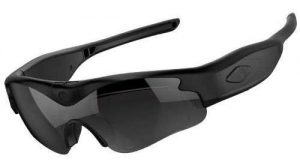
Click here for the official daVideo Camera Sunglasses
What Are Smart Glasses?
Smart glasses are wearable devices that combine traditional eyewear with electronic features.
Depending on the model, smart glasses may offer features such as:
- Cameras
- Microphones
- Speakers
- Bluetooth connectivity
- Smartphone integration
- Voice commands
- AI assistants
- Phone calls
- Music playback
- Notifications
- App connectivity
- Social media features
For someone who wants an all-in-one wearable computer, these features can be extremely attractive.
But not everyone wants an all-in-one wearable computer.
Some people simply want a camera they can wear.
That’s where dedicated camera glasses come into the picture.
What Are Dedicated Camera Glasses?
Dedicated camera glasses are primarily designed around one central purpose:
Recording video and photos from the perspective of the person wearing them.
Instead of trying to turn the glasses into a miniature smartphone, the design can focus on the camera experience.
That can mean emphasizing features such as:
- Video recording
- Photo capture
- POV perspective
- Camera positioning
- Field of view
- Storage
- Battery life
- Physical recording controls
- Recording indicators
- Lens options
- Comfort
If those are the features you care about most, you may not need everything else.
The More Features You Add, the More Complicated Things Can Become
Technology can be great.
But more technology doesn’t automatically mean a better product for every person.
Consider your smartphone.
Your phone probably does hundreds of things.
But how many functions do you actually use every day?
Camera glasses can be the same way.
A pair of glasses might offer voice commands, AI, music, calls, notifications, and numerous other functions.
If you’re primarily interested in recording POV video, you may use only one or two of those features.
In that situation, you’re potentially paying for capabilities that aren’t central to what you want.
What If You Already Have a Smartphone?
This is one of the biggest questions to ask.
Most people already carry a smartphone.
And modern smartphones already provide:
- AI assistants
- Internet access
- Navigation
- Phone calls
- Text messaging
- Music
- Video
- Social media
- Voice assistants
- High-quality cameras
So do you really need those same functions built into your sunglasses?
For some people, absolutely.
For others, probably not.
If your phone already handles your smart functions, you may prefer your camera sunglasses to focus on doing one thing well:
recording hands-free video.
Why Simplicity Can Be an Advantage
Imagine you’re going hiking.
You put on your camera sunglasses.
You press a button.
You start recording.
That’s it.
You don’t necessarily need to connect to an app.
You don’t need to speak a voice command.
You don’t need to wait for an AI assistant.
You simply record.
For many users, that simplicity is appealing.
The fewer steps between putting on the glasses and recording, the easier it can be to capture spontaneous moments.
Physical Controls Can Be More Convenient
Physical recording controls are another reason some people may prefer dedicated camera glasses.
A physical button gives you a straightforward way to start or stop recording.
This can be especially useful when you’re:
- Riding a bicycle
- Hiking
- Fishing
- Traveling
- Working
- Wearing gloves
- In a noisy environment
- Around loud machinery
- Riding a motorcycle
Voice commands aren’t always practical in those environments.
Wind can make voice recognition more difficult.
Background noise can interfere.
You may not want to speak commands out loud.
A physical button can be much simpler.
You Don’t Always Need Voice Commands
Voice control is one of the features frequently associated with smart glasses.
And it can be convenient.
But ask yourself how often you actually want to talk to your glasses.
If you’re recording a quick video, pressing a physical button may be faster and more reliable.
If you’re riding a motorcycle, wind noise can be significant.
If you’re at a concert, the environment can be extremely loud.
If you’re fishing with friends, you may not want to say a voice command every time you want to start recording.
Voice commands can be useful, but they’re not necessarily essential.
AI Isn’t Required for Great Video
Artificial intelligence is one of the biggest selling points of modern smart glasses.
AI can be useful for many things.
But AI isn’t what makes a POV video interesting.
Good video still depends on fundamentals such as:
- Composition
- Camera position
- Lighting
- Movement
- Subject matter
- Timing
- Perspective
- Resolution
- Audio
You don’t need an AI assistant inside your glasses to record a great moment.
A beautiful sunset doesn’t become beautiful because AI recognized it.
A great motorcycle ride doesn’t become exciting because your glasses have an AI assistant.
The experience itself is what matters.
The Camera Is Often the Most Important Feature
If you’re buying camera glasses specifically to record video, the camera should be one of your biggest considerations.
Look at:
Resolution
Higher resolution can provide more detail, but resolution isn’t the only factor affecting video quality.
Field of View
A wider field of view can be useful for POV footage because it captures more of what you’re seeing.
Camera Position
The camera should provide a natural perspective.
Frame Rate
Different frame rates can be useful for different types of video.
Storage
More storage can allow you to record more footage without constantly transferring files.
Battery Life
Longer battery life can be important for travel and extended activities.
These specifications may be much more relevant to a video-focused user than whether the glasses can answer questions using AI.
Storage Can Matter More Than Smart Features
Imagine you’re spending an entire day recording.
You might capture dozens of clips.
You don’t necessarily care whether your glasses can tell you the weather.
You care whether you have enough storage to keep recording.
This is one reason removable storage can be attractive on certain camera glasses.
Depending on the specific model, removable microSD storage can allow you to carry additional memory cards.
That can be especially useful for:
- Vacations
- Long hikes
- Sporting events
- Motorcycle trips
- Fishing trips
- Outdoor adventures
- Content creation
For a video-first user, storage may provide more practical value than another smart feature.
Battery Life Can Matter More Than AI
The same logic applies to battery life.
If you’re recording, battery life directly affects how long you can use your camera glasses.
A smart feature that you rarely use isn’t much help if the battery doesn’t last through the activity you want to record.
When comparing camera glasses, think about your actual priorities.
Would you rather have:
More smart functions you may rarely use?
Or:
More practical recording capability?
The answer depends on how you intend to use the glasses.
Camera Glasses Can Be More Focused
One advantage of a dedicated camera design is focus.
Instead of trying to be:
- A camera
- A phone
- A music player
- An AI assistant
- A communication device
- A notification display
the product can concentrate on recording.
That’s not necessarily better for everyone.
But it can be better for someone who doesn’t want a wearable computer.
Less Technology Can Mean Less to Manage
Smart devices often require some combination of:
- Apps
- Accounts
- Bluetooth connections
- Firmware updates
- Smartphone permissions
- Internet connectivity
- Settings
- Voice assistants
Again, these aren’t inherently bad.
But they add another layer of complexity.
If you simply want to record video, you may prefer a system where the basic recording process is straightforward.
Put on the glasses.
Press record.
Capture the video.
Transfer the files.
Done.
Privacy Can Also Be a Consideration
Some people are uncomfortable with the idea of having an AI-connected device on their face.
A dedicated camera can potentially provide a simpler approach.
Instead of focusing on connected services, AI assistants, or constant interaction with a smartphone, you can focus on recording the footage you intentionally choose to capture.
Privacy considerations vary between products, so consumers should always review the specific manufacturer’s policies and features.
But for people who don’t want additional connected functionality, a simpler camera device can be appealing.
You Don’t Need Every Feature Just Because It’s Available
This is an important lesson when shopping for technology.
Manufacturers compete by adding features.
That’s understandable.
But consumers shouldn’t automatically assume that the product with the longest list of features is the best product.
Think about what you actually need.
If your list looks like this:
- Record video
- Take photos
- Capture POV footage
- Store recordings
- Transfer files
- Wear comfortably
- Use the glasses outdoors
then you may not need a long list of smart features.
Your ideal product may actually be the one that concentrates on those requirements.
When Smart Features Make Sense
This doesn’t mean smart glasses are unnecessary.
There are plenty of people who will benefit from them.
Smart glasses can make sense if you specifically want:
- AI assistance
- Voice commands
- Phone calls
- Music
- Speakers
- Notifications
- Smartphone integration
- Connected apps
- Hands-free communication
If you want your glasses to function as a connected wearable device, smart glasses may be exactly what you’re looking for.
The important thing is knowing what you’re buying.
When Dedicated Camera Glasses May Make More Sense
Dedicated camera glasses can make more sense if your priorities are primarily:
- Recording video
- Taking photos
- POV recording
- Hands-free operation
- Simplicity
- Physical recording controls
- Storage
- Battery life
- Lens options
- Camera positioning
You aren’t necessarily giving up the ability to use your smartphone.
You’re simply letting your smartphone handle the smart stuff while your camera glasses handle the recording.
Your Smartphone Can Still Handle the Smart Stuff
This is perhaps the biggest advantage of separating the two functions.
You don’t have to choose between having smart technology and having camera glasses.
Your smartphone already gives you access to an enormous amount of technology.
You can use your phone for:
- AI
- Navigation
- Calls
- Messages
- Internet
- Social media
- Editing
- Cloud storage
- Music
- Apps
Then use your camera sunglasses primarily for capturing the video.
For some people, that division of responsibilities makes more sense.
Think About What Happens After You Record
Another useful way to evaluate camera glasses is to think about what you actually do with the footage.
Maybe you:
- Upload videos to YouTube
- Post clips on Facebook
- Create TikTok videos
- Make Instagram Reels
- Save family memories
- Record vacations
- Document hobbies
- Capture outdoor adventures
In those situations, the quality and usability of the video may matter much more than whether the glasses can answer questions.
Your workflow might be:
Record → transfer → edit → post.
The camera is central to the entire process.
Smart Glasses vs. Dedicated Camera Glasses
Here’s a simple way to think about the difference:
| Feature | Smart Glasses | Dedicated Camera Glasses |
|---|---|---|
| Video recording | Yes | Yes |
| POV video | Yes | Yes |
| AI features | Often | Usually not the focus |
| Voice commands | Often | May not be necessary |
| Phone calls | Often | Usually not the primary purpose |
| Music/audio | Often | Model dependent |
| Smartphone integration | Often | May be less important |
| Physical recording controls | Model dependent | Often emphasized |
| Removable storage | Model dependent | Available on some models |
| Camera-focused design | Varies | Primary purpose |
| Simplicity | Varies | Often a major advantage |
| Best for | Connected wearable features | Recording-focused users |
Neither category is automatically right for everyone.
The important question is which one matches your priorities.
The Best Camera Glasses Are the Ones You’ll Actually Use
There’s a simple rule that applies to almost every piece of technology:
The best device is often the one you’ll actually use.
You could buy the most technologically advanced glasses available.
But if they’re complicated, require features you don’t care about, or aren’t comfortable wearing, you may end up leaving them at home.
A simpler pair that you actually wear every day could ultimately produce far more useful footage.
Great for People Who Want Hands-Free Recording
Camera sunglasses are particularly attractive because they solve a very specific problem.
They allow you to record without holding a camera.
That’s useful when both of your hands are occupied.
For example:
Hiking
Record the trail from your natural perspective.
Fishing
Capture casting, reeling, and the surrounding environment.
Cycling
Capture your ride without mounting a camera to the handlebars.
Travel
Record sightseeing without constantly holding your phone.
Motorcycle Riding
Capture a first-person perspective while keeping your hands on the controls.
DIY and Work
Document projects while keeping both hands available.
Family Events
Capture moments without constantly holding a camera or phone.
These are situations where the camera itself is the important feature.
Why daVideo Camera Sunglasses Are Worth Considering
For someone who wants camera glasses primarily for recording, a dedicated product such as daVideo can be worth considering because the focus is on the camera experience rather than turning the glasses into another smartphone.
Instead of asking:
“What can these glasses do?”
you can ask:
“How well do these glasses do what I actually want them to do?”
If your answer is recording POV video, then camera-specific features deserve a lot of attention.
Look at the camera.
Look at the field of view.
Look at the storage.
Look at the battery.
Look at the recording controls.
Look at the lenses.
Look at the fit.
And then decide whether you really need the additional smart features.
Final Thoughts
Do you really need smart features in your camera glasses?
Maybe — but you might not.
If you want AI assistance, phone calls, music, voice commands, notifications, and smartphone connectivity built directly into your eyewear, smart glasses can offer an impressive collection of features.
But if your primary goal is much simpler — recording hands-free video from your own point of view — you may be better served by concentrating on camera-specific features instead.
Don’t buy features simply because they’re available.
Buy the features you’ll actually use.
For a video-focused user, camera resolution, field of view, camera positioning, storage, battery life, physical recording controls, lens quality, comfort, and ease of use may be far more important than having an AI assistant built into the frame.
Sometimes the smartest choice isn’t buying the smartest glasses.
Sometimes it’s buying camera glasses that simply do what you want them to do.
Frequently Asked Questions
Do I need smart features to record video with camera glasses?
No. Smart features such as AI, voice assistants, and phone connectivity aren’t required to record POV video. Dedicated camera glasses can focus primarily on recording.
Are smart glasses better than camera glasses?
Not necessarily. Smart glasses can be better for people who want connected features such as AI, calls, music, and voice commands. Dedicated camera glasses can be better for users whose main priority is recording video.
Do camera glasses need an app?
It depends on the specific product. Some camera glasses can operate independently, while others use an app for configuration, file management, or other functions.
Are voice commands necessary for camera glasses?
No. Physical recording controls can provide a simple alternative to voice commands, particularly in noisy environments or situations where you don’t want to speak to your glasses.
Is AI necessary for good POV video?
No. Great POV video depends primarily on factors such as camera quality, composition, lighting, perspective, movement, and subject matter. AI can add useful capabilities, but it isn’t required for good video.
Why would someone choose dedicated camera glasses instead of smart glasses?
Someone who primarily wants hands-free video recording may prefer dedicated camera glasses because they can focus on camera-related features rather than paying for smart functions they don’t intend to use.
What features matter most in camera glasses?
Consider camera resolution, field of view, camera positioning, storage, battery life, recording controls, lens quality, comfort, and ease of use. Your intended activities should determine which features matter most.
Are smart glasses worth the extra money?
They can be if you will actually use their additional features. If you primarily want to record video, compare the camera and recording capabilities rather than assuming that more smart features automatically provide more value.
Click here for the official daVideo Camera Sunglasses


Do You Really Need Smart Features in Your Camera Glasses?
Do You Really Need Smart Features in Your Camera Glasses? When shopping for camera glasses, it’s easy to get caught up in all the features. AI assistants. Voice commands. Phone calls. Speakers. Notifications. App connectivity. Bluetooth. Social media integration. And, of course, a built-in camera. Smart glasses have become increasingly sophisticated, and there’s no question that these features can be useful for some people. But here’s an important question to ask before […]
Prescription-Friendly Camera Sunglasses: What to Know Before You Buy
Prescription-Friendly Camera Sunglasses: What to Know Before You Buy If you wear prescription glasses, shopping for camera sunglasses can be a little more complicated. You aren’t just looking for a good camera. You also need to make sure the glasses work with your vision needs, fit comfortably, and still provide the recording features you’re looking for. Fortunately, you don’t necessarily have to choose between clear vision and hands-free POV video. There are […]
Why Camera Sunglasses Are Great for Hiking, Fishing, Cycling and Outdoor Adventures
Why Camera Sunglasses Are Great for Hiking, Fishing, Cycling and Outdoor Adventures The best outdoor memories aren’t always the ones you plan to record. Sometimes they happen while you’re walking down a trail. Sometimes you’re standing beside a lake when something unexpected happens. Sometimes you’re riding your bike through a beautiful stretch of countryside. Sometimes you’re exploring somewhere you’ve never been before. The problem is that traditional cameras aren’t always convenient when […]
The Advantage of Removable MicroSD Storage Over Built-In Smart-Glasses Storage
The Advantage of Removable MicroSD Storage Over Built-In Smart-Glasses Storage When you’re shopping for video camera sunglasses, it’s easy to focus on camera resolution, frame rates and lens quality. But there’s another specification that can make a huge difference in everyday use: How the video is stored. Some smart glasses rely on built-in storage. That can be convenient, but you’re ultimately limited to the storage capacity provided by the device. Dedicated camera […]
Meta Glasses Alternatives: 10 Things to Consider Before You Buy
Meta Glasses Alternatives: 10 Things to Consider Before You Buy If you’ve been searching for Meta glasses alternatives, you’ve probably already discovered that there are a lot of different camera glasses and wearable cameras available. Some are designed as smart glasses. Some focus primarily on photography. Some are built around AI. Others are designed specifically for hands-free video recording. That can make choosing the right pair surprisingly difficult. Before you buy a […]
Why Interchangeable Lenses Matter When Choosing Video Camera Sunglasses
Why Interchangeable Lenses Matter When Choosing Video Camera Sunglasses When shopping for video camera sunglasses, most people immediately look at the camera resolution, battery life, storage capacity, and recording time. Those specifications are important, but there is another feature that can make a major difference in how useful your camera sunglasses are: interchangeable lenses. Being able to change the lenses can make a pair of video camera sunglasses much more versatile for […]
daVideo Camera Sunglasses vs. Meta: Which Is Better for Long Recording Sessions?
daVideo Camera Sunglasses vs. Meta: Which Is Better for Long Recording Sessions? If you want to record hands-free video for more than just a few quick clips, the type of camera glasses you choose can make a big difference. daVideo camera sunglasses and Meta smart glasses are designed with different priorities in mind. Meta glasses combine a camera with smart features such as audio, voice interaction and smartphone connectivity. daVideo camera sunglasses […]
Why Choose Dedicated Video Camera Sunglasses Instead of Meta Glasses?
Why Choose Dedicated Video Camera Sunglasses Instead of Meta Glasses? Smart glasses have become one of the most talked-about wearable technologies in recent years. Meta glasses have helped bring camera-equipped eyewear into the mainstream, giving people a convenient way to take photos, record video, listen to audio, and use AI features without reaching for their phone. But there is an important question that many shoppers should ask before spending several hundred dollars: […]
Finding the Perfect Seat for Stunning Videos on Kings Island Rides
Finding the Perfect Seat for Stunning Videos on Kings Island Rides Picking the wrong seat on Kings Island rides can turn your video footage from thrilling to forgettable. You want the best camera angles that capture every twist, drop, and turn in crisp detail. This guide reveals the optimal seating positions to help you film the most striking attraction views, from front-row seats that put you right in the action to middle […]
How to Use Gimbals and Camera Settings for Perfect Kings Island Footage
Ride Filming Tips: How to Use Gimbals and Camera Settings for Perfect Kings Island Footage Capturing smooth footage on fast-moving Kings Island rides feels impossible if you don’t know the right tricks. Shaky, blurry videos can ruin the thrill you want to share with friends. This guide breaks down simple ride filming tips, from gimbal use to camera settings, so your footage stays steady and exciting. Keep reading to learn how to […]
Capture Your Kings Island Adventure
Filming at Amusement Parks: Capture Your Kings Island Adventure Most people think capturing a day at Kings Island means endless footage that never gets watched. The truth is, short-form videos win attention when you know the right moves. With the right Kings Island video tips and short-form video strategies, you can turn thrilling rides, tasty food, and fun moments into clips that pop on social media. Ready to film at amusement parks […]
The Best Tools for Adventure Photography
Capture Memories Effortlessly: The Best Tools for Adventure Photography Capturing every thrilling moment of your adventure shouldn’t mean missing out on the fun itself. Too often, stopping to snap photos pulls you away from the excitement around you. This post will show you how memory capturing tools like hands-free cameras and smartphone shortcuts let you document experiences without losing touch with the action, helping you stay present and truly enjoy every laugh, […]
Leave A Comment