daVideo vs. Meta Glasses: Which Is Better for Recording POV Video?
Point-of-view video has become one of the most engaging ways to record and share experiences.
Instead of watching someone hold a camera from the outside, POV video puts the viewer directly into the action. Whether you’re traveling, walking through a new city, working on a project, attending an event, riding a bike, exploring outdoors, or creating social-media content, POV footage gives viewers a perspective that traditional cameras often cannot reproduce.
That is exactly why camera glasses have become so interesting.
Both daVideo video camera glasses and Meta glasses can provide a hands-free way to capture video from your perspective. But they take very different approaches to the camera-glasses concept.
Meta glasses are designed as multifunctional smart glasses with cameras, audio, AI and smartphone connectivity.
daVideo camera glasses are designed with a much more focused purpose:
Wear the glasses. Record what you see. Capture POV video.
So which is better for recording POV video?
The answer depends on what you want your glasses to do.
If your primary goal is recording POV video at an affordable price, dedicated daVideo camera glasses deserve a very close look.
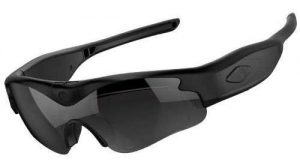
Click here for the official daVideo Camera Sunglasses
What Makes POV Video Different?
POV stands for point of view.
In simple terms, POV video shows the viewer what the person wearing the camera is seeing.
That creates a completely different viewing experience from traditional video.
Imagine filming yourself repairing a vehicle.
With a normal camera, the viewer might watch you working from several feet away.
With a camera mounted on your glasses, the viewer can see approximately what you’re seeing as you work.
The same concept works for:
- Traveling
- Hiking
- Walking tours
- Biking
- Fishing
- Automotive work
- Woodworking
- Metalworking
- Cooking
- DIY projects
- Concerts
- Sporting events
- Festivals
- Theme parks
- Demonstrations
- Tutorials
- Social-media videos
The camera follows your natural line of sight instead of requiring you to constantly hold and point a separate camera.
That’s the appeal of POV camera glasses.
daVideo vs. Meta: Two Different Approaches
Before deciding which one is better, it’s important to understand that daVideo and Meta aren’t necessarily trying to accomplish exactly the same thing.
Meta Glasses
Meta glasses are designed to be smart glasses.
The camera is one component of a larger wearable technology system.
Depending on the model, users may have access to features such as:
- Photography
- Video recording
- Audio
- Speakers
- Microphones
- AI
- Voice interaction
- Phone calls
- Smartphone connectivity
- Social-media features
- Other connected functions
That makes Meta glasses attractive to people who want an all-in-one smart wearable.
daVideo Camera Glasses
daVideo takes a more camera-focused approach.
The emphasis is on giving customers glasses that can be used to capture:
- Video
- Photos
- POV footage
- Hands-free recordings
This difference is important.
If you want a miniature computer on your face, Meta may be more appealing.
If you primarily want a camera that you can wear, daVideo may be the better fit.
1. POV Recording Is the Main Attraction
For many people shopping for camera glasses, the most important feature isn’t AI.
It isn’t music.
It isn’t making phone calls.
It isn’t having a voice assistant.
It’s the camera.
They want to capture what they’re seeing.
That’s where dedicated video camera glasses have a particularly strong advantage in terms of product focus.
When your primary reason for buying the glasses is POV video, you can concentrate your buying decision around the things that actually matter:
Video quality.
Recording capability.
Battery life.
Storage.
Ease of operation.
Comfort.
Price.
You don’t have to start with a long list of unrelated smart features.
2. Your Camera Goes Where You Look
One of the biggest advantages of POV glasses is that the camera naturally follows your head.
Think about trying to record something with your phone.
You have to:
- Take the phone out.
- Unlock it.
- Open the camera.
- Hold it correctly.
- Point it toward your subject.
- Keep it steady.
- Continue holding it while recording.
With camera glasses, the concept is much simpler.
Put the glasses on and capture footage from your point of view.
Your hands remain available.
That can make a huge difference when you’re doing something that requires both hands.
3. POV Video Is Excellent for Hands-On Projects
This is one of the areas where camera glasses can really shine.
Suppose you’re working on a car.
You’re using both hands to remove a component.
You can’t easily hold your phone and work at the same time.
A camera mounted in your glasses gives you another option.
The camera can record while you work.
The same idea applies to:
- Mechanics
- Welders
- Fabricators
- Woodworkers
- Craftspeople
- DIY enthusiasts
- Technicians
- Hobbyists
- Artists
- Builders
A POV camera can document the entire process without requiring another person to operate the camera.
4. POV Video Is Great for Tutorials
If you create instructional content, camera glasses can give your audience a perspective that traditional video cameras often struggle to provide.
Consider a tutorial showing someone how to perform a task.
A traditional camera might be positioned across the room.
A POV camera can show the task from the operator’s perspective.
That can make it easier for viewers to understand:
- Where your hands are
- What you’re looking at
- Where you’re placing tools
- How you’re approaching a project
- What you’re seeing during the process
For instructional creators, that’s extremely valuable.
5. POV Travel Videos Feel More Immersive
Travel is another perfect use for camera glasses.
Imagine walking through:
- A European city
- A national park
- A theme park
- A museum
- A street market
- A beach
- A festival
- A historic location
A traditional video shows the destination.
POV video can make the viewer feel like they’re walking there with you.
That’s a major reason POV footage works so well on social media and video platforms.
It creates a sense of participation.
6. Keep Your Hands Free While Traveling
Travelers already have enough things to carry.
Phone.
Wallet.
Passport.
Backpack.
Camera.
Luggage.
Adding another camera can become inconvenient.
Camera glasses provide a way to capture spontaneous moments without constantly pulling a camera out of your pocket.
That can be especially useful when you’re walking around a busy tourist attraction or exploring somewhere new.
Instead of stopping to record every interesting moment, your camera can be ready while you continue enjoying the experience.
7. Great for Theme Parks and Events
Theme parks, festivals, fairs, concerts and sporting events can provide excellent POV opportunities.
Imagine recording your experience walking through a theme park.
The viewer sees approximately what you see.
You’re able to keep both hands available for rides, food, tickets, bags and everything else you’re carrying.
Camera glasses can also be useful for capturing short clips throughout an event without constantly taking your phone out.
The result can be a much more natural collection of first-person memories.
8. Great for Outdoor Activities
POV video is particularly useful when your hands are occupied.
Consider:
- Hiking
- Fishing
- Cycling
- Walking
- Camping
- Sightseeing
- Exploring
- Boating
- Outdoor photography
- Nature observation
The camera becomes part of what you’re wearing rather than another device you have to hold.
That makes spontaneous recording easier.
9. daVideo Gives You a More Camera-Focused Choice
One of the biggest distinctions between daVideo and Meta is product philosophy.
Meta has built an ecosystem around smart glasses.
daVideo focuses on camera eyewear.
If you don’t need your glasses to perform a dozen different smart functions, that can be a major advantage.
Instead of paying primarily for an ecosystem of connected features, you can concentrate your purchase around the camera.
For a person specifically searching for POV video camera glasses, that can make the decision much easier.
10. Price Matters
Price is one of the biggest differences shoppers should consider.
Premium Meta glasses can cost several hundred dollars depending on the model and configuration.
daVideo offers camera glasses at significantly lower price points, including models around the $60 range and more advanced models such as the Denali.
That means you can potentially get into POV camera glasses without spending several hundred dollars.
For someone who simply wants to experiment with POV video, that can be extremely appealing.
Why spend $400 or $500 or more if the feature you care about most is simply:
Record video from my point of view.
11. You’re Already Carrying a Smartphone
Another important consideration is that most people buying camera glasses already have a smartphone.
Your phone already provides:
- Internet access
- Apps
- AI
- GPS
- Music
- Messaging
- Video calls
- Social media
- A high-quality camera
If you don’t need to duplicate all of those functions in your glasses, a dedicated camera solution can make more sense.
Your phone can remain your smart device.
Your daVideo glasses can become your wearable camera.
That division of responsibilities can be surprisingly practical.
12. More Features Don’t Always Mean Better POV Video
It’s easy to assume that the product with more features must automatically be better.
But that’s not necessarily true.
Imagine buying a laptop because you need to type documents.
If one laptop includes 50 additional features you never use, those features don’t necessarily make it a better purchase for you.
The same applies to camera glasses.
If your primary objective is POV video, you should evaluate:
How well does it record?
How easy is it to use?
How much does it cost?
How comfortable is it?
How much storage does it provide?
How long can it record?
Those questions may be more important than whether the glasses can perform functions you don’t intend to use.
13. daVideo Can Be an Affordable Introduction to POV Video
Maybe you’ve never tried camera glasses before.
You aren’t sure whether you’ll use them regularly.
You don’t want to spend several hundred dollars just to experiment.
That’s another reason an affordable dedicated camera option can be attractive.
You can try POV video without making a huge investment.
You may discover that you love creating:
- POV travel videos
- POV tutorials
- POV repair videos
- POV outdoor videos
- POV event videos
- Social-media clips
And if you decide you want more advanced equipment later, you can upgrade.
14. POV Video Can Give Your Social Content a Different Perspective
Social-media users see thousands of traditional videos every day.
A POV video can immediately feel different.
Instead of watching a creator hold a phone, the viewer sees the world from the creator’s perspective.
That can make content feel more personal.
For creators, camera glasses can be another tool for generating:
- Short-form videos
- Behind-the-scenes footage
- Tutorials
- Demonstrations
- Travel clips
- Reaction videos
- Event footage
- Product demonstrations
You can also combine POV footage with traditional camera footage to create more interesting edits.
15. You Don’t Have to Choose Only One Camera
There’s no rule saying your camera glasses have to replace every other camera.
In fact, they can work alongside your existing equipment.
For example:
Mirrorless camera: Professional photography and high-quality cinematic video.
Smartphone: Everyday photography and traditional video.
Action camera: Specialized outdoor footage.
daVideo camera glasses: First-person POV footage.
Each camera serves a different purpose.
That’s often the smartest approach.
16. Dedicated Camera Glasses Can Be Useful for Demonstrations
Suppose you sell a product and want to demonstrate how it works.
A traditional camera can show the demonstration from across the room.
A POV camera can show the demonstration from the user’s perspective.
That’s particularly useful for products that involve hands-on operation.
Examples include:
- Tools
- Equipment
- Automotive products
- Outdoor gear
- Crafts
- Electronics
- Workshop equipment
POV video can help potential customers understand how something is actually used.
17. Think About What You Want the Viewer to See
When choosing a POV camera, consider the type of footage you’re planning to create.
Do you want the viewer to see:
Your perspective?
Your hands?
Your work area?
The path ahead?
The environment around you?
A first-person demonstration?
Those are all situations where wearable cameras can be particularly useful.
The more your content depends on showing what you are personally seeing and doing, the more valuable POV recording becomes.
18. daVideo vs. Meta: Which Is Better?
There isn’t one answer for everyone.
Choose Meta if you want:
- A broader smart-glasses experience
- AI features
- Built-in audio
- Smartphone integration
- Voice interaction
- Connected wearable technology
- A camera combined with other smart features
Consider daVideo if you want:
- Dedicated video recording
- POV footage
- Hands-free recording
- Camera-focused eyewear
- An affordable alternative
- A simple recording solution
- A wearable camera without paying for a large smart-glasses ecosystem
The question isn’t necessarily:
“Which brand is better?”
The better question is:
“Which product is better for what I actually want to do?”
19. If POV Video Is Your Priority, Start With the Camera
When comparing camera glasses, don’t get distracted by the brand name.
Start with the camera.
Look at:
- Resolution
- Frame rates
- Photo capability
- Storage
- Battery
- Recording time
- Microphones
- Stabilization
- File transfer
- Ease of use
Then consider the additional features.
This approach helps you make a decision based on your actual needs instead of simply buying the most recognizable name.
20. The daVideo Denali Is Worth a Look
For shoppers who want something beyond an entry-level camera glass, the daVideo Denali is particularly worth considering.
It offers a more advanced camera-glasses package while remaining dramatically less expensive than many premium smart-glasses options.
For someone interested in POV video but unwilling to spend several hundred dollars simply to get a wearable camera, that price difference can be significant.
The Denali is designed for people who want to capture video and photos while wearing their camera instead of carrying it.
That makes it an interesting option for:
- Travel
- Outdoor activities
- POV content
- Social media
- Demonstrations
- Hobbies
- Events
- Hands-free recording
21. The Best POV Camera Is the One You’ll Actually Use
This may be the most important consideration of all.
A technically impressive camera doesn’t help if you leave it at home.
A camera that is easy to wear and convenient to use is much more likely to become part of your daily routine.
That’s one of the reasons wearable cameras are so interesting.
You aren’t necessarily planning a dedicated filming session.
You can simply wear them.
Then, when something interesting happens, you’re already carrying a camera.
22. Why Carry a Camera When You Can Wear One?
That’s ultimately the appeal of camera glasses.
You don’t have to hold them.
You don’t have to find somewhere to put them.
You don’t have to constantly point them.
They’re already attached to what you’re wearing.
For POV video, that’s a major advantage.
Your camera follows your perspective.
Your hands stay available.
And you can capture moments that you might otherwise miss.
Final Verdict: daVideo or Meta?
If you want a full-featured pair of smart glasses, Meta may be the better choice.
If you want AI, audio, phone integration and a camera all combined into one wearable device, Meta’s approach can make a lot of sense.
But if your main goal is much simpler—
“I want to record POV video without holding a camera.”
—then dedicated daVideo camera glasses deserve serious consideration.
You don’t necessarily need a wearable computer to capture first-person video.
You need a camera.
And that’s where dedicated video camera glasses can provide a compelling alternative.
With daVideo, you can focus your purchase on what matters most: capturing the world from your point of view while keeping your hands free.
Whether you’re traveling, working, creating content, exploring outdoors, attending events or documenting a project, POV camera glasses give you a unique perspective that your phone can’t easily reproduce.
And because daVideo offers camera glasses at significantly lower prices than many premium smart-glasses options, you can get into POV recording without spending several hundred dollars on features you may never use.
Before buying expensive smart glasses, ask yourself one simple question:
Do I want a smart computer I can wear, or do I simply want a camera I can wear?
If the answer is a camera, daVideo may be exactly what you’re looking for.
Click here for the official daVideo Camera Sunglasses


daVideo vs. Meta Glasses: Which Is Better for Recording POV Video?
daVideo vs. Meta Glasses: Which Is Better for Recording POV Video? Point-of-view video has become one of the most engaging ways to record and share experiences. Instead of watching someone hold a camera from the outside, POV video puts the viewer directly into the action. Whether you’re traveling, walking through a new city, working on a project, attending an event, riding a bike, exploring outdoors, or creating social-media content, POV footage gives […]
110° Wide-Angle POV Video: Why Lens Coverage Matters
110° Wide-Angle POV Video: Why Lens Coverage Matters When you’re recording video from your own point of view, lens coverage matters just as much as video resolution. A camera mounted on your face doesn’t always point exactly where a traditional handheld camera would. Your head moves, your eyes move, and your body naturally changes position while you’re walking, working, traveling, or interacting with your surroundings. That’s why a 110° wide-angle POV camera […]
5 Reasons Dedicated Video Camera Sunglasses Beat Smart Glasses for Recording
5 Reasons Dedicated Video Camera Sunglasses Beat Smart Glasses for Recording Smart glasses have become one of the most talked-about wearable technologies. They can connect to your phone, play music, answer calls, provide voice assistance, and in some cases record photos and video. But if your main reason for buying glasses is recording video, do you really need a pair of smart glasses loaded with features you may never use? For many […]
Looking for a Meta Glasses Alternative? Consider Dedicated Camera Sunglasses
Looking for a Meta Glasses Alternative? Consider Dedicated Camera Sunglasses If you’ve been searching for Meta glasses alternatives, you may have noticed that many of today’s smart glasses are designed to do far more than simply record video. Modern Meta glasses combine cameras with features such as audio, microphones, AI, smartphone connectivity and other smart functions. For some people, that’s exactly what they want. But what if you don’t need all of […]
Why daVideo Camera Sunglasses Are Built for People Who Actually Want to Record
Why daVideo Camera Sunglasses Are Built for People Who Actually Want to Record There are plenty of smart glasses on the market today. Some can play music. Some can make phone calls. Some connect to your smartphone. Some offer AI assistants and other smart features. And many can record video. But there’s a big difference between glasses that happen to have a camera and camera sunglasses designed for people who actually want […]
Why You Don’t Need AI to Record Amazing POV Video
Why You Don’t Need AI to Record Amazing POV Video Artificial intelligence is everywhere. It’s built into smartphones, computers, cameras, search engines and increasingly into eyewear. Today’s smart glasses can do some impressive things. Depending on the model, they can answer questions, interact with AI assistants, play audio, make calls, connect to your smartphone and record photos and video. But here’s something worth remembering: You don’t need artificial intelligence to record great […]
Do You Really Need Smart Features in Your Camera Glasses?
Do You Really Need Smart Features in Your Camera Glasses? When shopping for camera glasses, it’s easy to get caught up in all the features. AI assistants. Voice commands. Phone calls. Speakers. Notifications. App connectivity. Bluetooth. Social media integration. And, of course, a built-in camera. Smart glasses have become increasingly sophisticated, and there’s no question that these features can be useful for some people. But here’s an important question to ask before […]
Prescription-Friendly Camera Sunglasses: What to Know Before You Buy
Prescription-Friendly Camera Sunglasses: What to Know Before You Buy If you wear prescription glasses, shopping for camera sunglasses can be a little more complicated. You aren’t just looking for a good camera. You also need to make sure the glasses work with your vision needs, fit comfortably, and still provide the recording features you’re looking for. Fortunately, you don’t necessarily have to choose between clear vision and hands-free POV video. There are […]
Why Camera Sunglasses Are Great for Hiking, Fishing, Cycling and Outdoor Adventures
Why Camera Sunglasses Are Great for Hiking, Fishing, Cycling and Outdoor Adventures The best outdoor memories aren’t always the ones you plan to record. Sometimes they happen while you’re walking down a trail. Sometimes you’re standing beside a lake when something unexpected happens. Sometimes you’re riding your bike through a beautiful stretch of countryside. Sometimes you’re exploring somewhere you’ve never been before. The problem is that traditional cameras aren’t always convenient when […]
The Advantage of Removable MicroSD Storage Over Built-In Smart-Glasses Storage
The Advantage of Removable MicroSD Storage Over Built-In Smart-Glasses Storage When you’re shopping for video camera sunglasses, it’s easy to focus on camera resolution, frame rates and lens quality. But there’s another specification that can make a huge difference in everyday use: How the video is stored. Some smart glasses rely on built-in storage. That can be convenient, but you’re ultimately limited to the storage capacity provided by the device. Dedicated camera […]
Meta Glasses Alternatives: 10 Things to Consider Before You Buy
Meta Glasses Alternatives: 10 Things to Consider Before You Buy If you’ve been searching for Meta glasses alternatives, you’ve probably already discovered that there are a lot of different camera glasses and wearable cameras available. Some are designed as smart glasses. Some focus primarily on photography. Some are built around AI. Others are designed specifically for hands-free video recording. That can make choosing the right pair surprisingly difficult. Before you buy a […]
Why Interchangeable Lenses Matter When Choosing Video Camera Sunglasses
Why Interchangeable Lenses Matter When Choosing Video Camera Sunglasses When shopping for video camera sunglasses, most people immediately look at the camera resolution, battery life, storage capacity, and recording time. Those specifications are important, but there is another feature that can make a major difference in how useful your camera sunglasses are: interchangeable lenses. Being able to change the lenses can make a pair of video camera sunglasses much more versatile for […]
Leave A Comment